ovos-tui-client
A split-pane terminal UI for talking to and debugging OpenVoiceOS without a microphone or speaker. You type what you would say, read what OVOS says back, and watch what happens on the message bus while it happens.
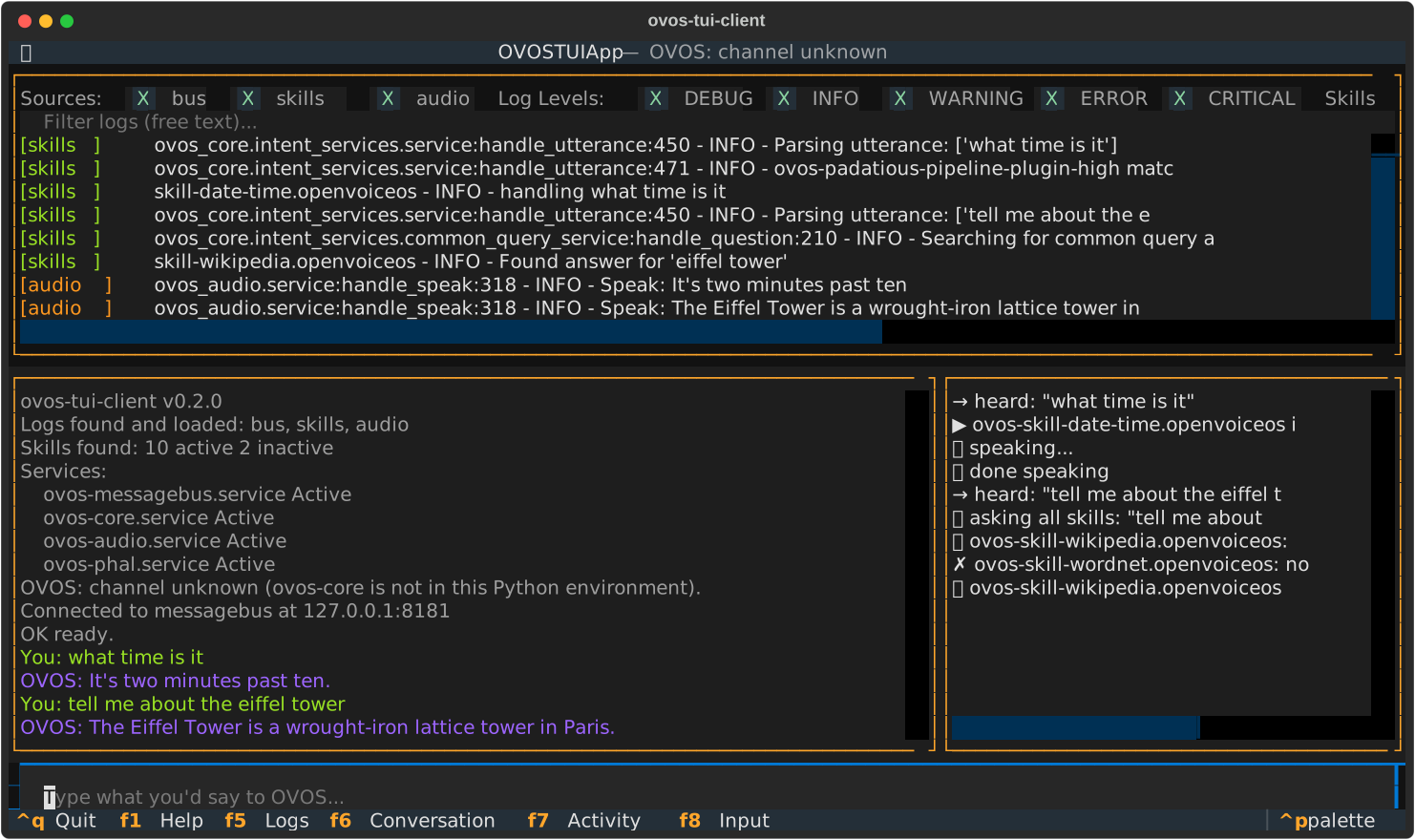
What you get
| Logs | Every OVOS service log it can find, colour-coded by source, filterable by source, level, skill and free text. |
| Conversation | What you typed, what OVOS answered, and what anyone else said to OVOS (the microphone, HiveMind clients, other TUIs). |
| Activity | A readable feed of what happens behind the scenes: which skill is handling the request, which fallback caught it, which answers came back. |
Command palette (Ctrl+P) |
Everything else, searchable by typing: restart services, activate skills, show the pipeline, run tests, open About windows. |
| Scripted test runs | Replay a skill's own golden test utterances, or your own scripts, against your live OVOS and get a ✓/✗ per step. |
Where to start
- New here? Getting started installs it and walks through the screen.
- Want to check whether your skills still answer what they should? Testing skills and Your own scripts.
- Managing skills: Skills and About windows.
- Several people or devices on one OVOS: Shared bus.
- Running it in a browser, or next to a Docker/Podman install: Web and Docker.
- Something looks wrong? Troubleshooting.
Why use it
Testing OVOS by voice means wake-word misfires, STT mistakes and no view of why something did or didn't happen. Typing directly and watching the activity feed skips all of that:
- See which skill answered, and which ones tried and gave up.
- Catch vocabulary gaps - a phrasing that should work but lands on the wrong skill is visible at once.
- Understand fallbacks - which fallback skill stepped in, and whether it solved anything.
- Check the intent pipeline order without reading config files.
- Restart a stuck service in two keystrokes.
- Re-run the same test again and again after every change.